
What IP addresses can I use for my home network?
Back to BlogPublished 2026-01-18 • Audience: beginners • Topic: home networking
When you set up a home network (or a small office), your router hands out IP addresses to devices like your laptop, phone, smart TV, and printer. A common question is: “Can I use any IP addresses I want?”
The short answer: you should use private IP ranges designed specifically for local networks. Using random public IP addresses can create confusing problems and even break access to real sites on the internet.
What is a “private IP address”?
A private IP address is an address meant to be used only inside your local network (LAN). It is not routable on the public internet.
Your router typically uses NAT (Network Address Translation) so all your devices can share a single public IP when talking to the outside world.
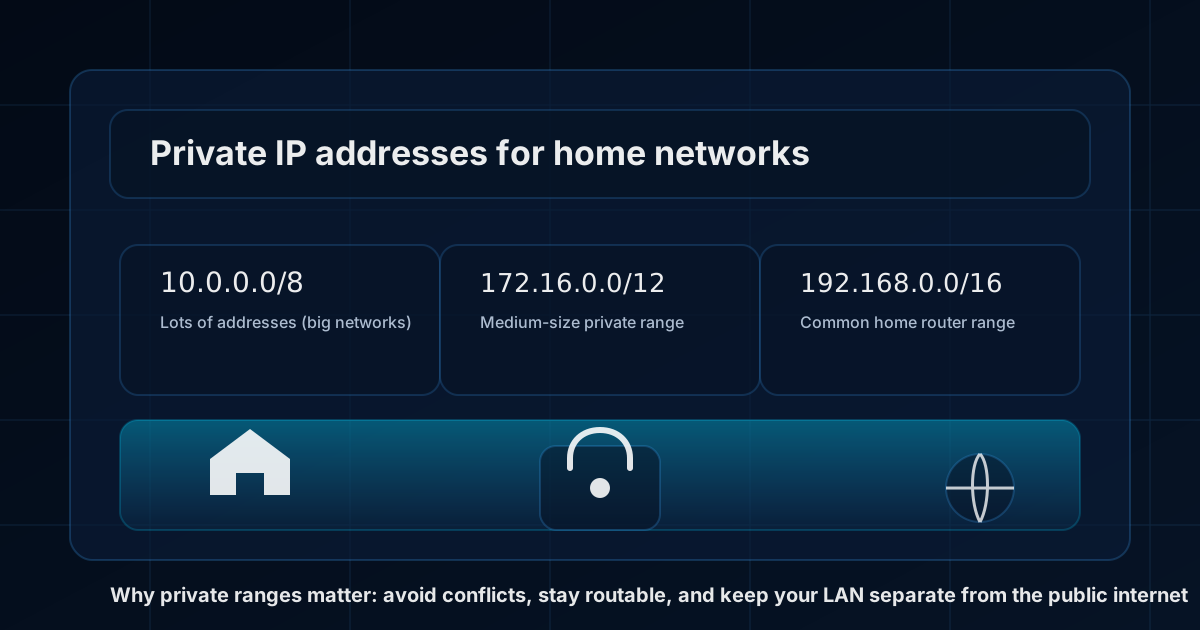
The 3 IPv4 private ranges you can safely use (RFC1918)
For most home and small business networks, these are the “safe” private IPv4 ranges:
- 10.0.0.0/8 (example home subnets:
10.0.0.0/24,10.1.0.0/24) - 172.16.0.0/12 (covers
172.16.0.0through172.31.255.255) - 192.168.0.0/16 (example home subnets:
192.168.0.0/24,192.168.1.0/24)
Many home routers default to something like 192.168.0.x or 192.168.1.x. That’s totally normal.
Why you should NOT use “random” public IP addresses at home
It may be tempting to pick an IP range that “looks cool” (like 8.8.8.x), but that can cause real issues.
- Routing conflicts: If your LAN uses an IP block that exists on the internet, your computer may try to reach that public site locally (and fail).
- VPN problems: When you connect to a VPN, your VPN might use overlapping address space. Overlaps cause “it works on VPN but not off VPN” (or the reverse).
- Hard-to-debug behavior: Some apps or devices assume private ranges are private. Using public ranges can break those assumptions.
Picking a range that avoids common conflicts
Conflicts happen when two networks use the same IP range. This is very common with VPNs and “remote access” into another network.
If you frequently connect to work VPNs, consider using a less common home subnet. Examples:
- Instead of
192.168.1.0/24, try192.168.50.0/24 - Or use
10.10.10.0/24(still private, but less likely to overlap)
How big should my subnet be?
A very common home setup is /24, which gives you up to 254 usable IPs (for example 192.168.50.1 through 192.168.50.254).
That’s plenty for most homes. If you have lots of devices (smart home gear, guests, lab machines), you can use larger subnets, but /24 is usually easiest.
Other IPv4 ranges you may see (and what they mean)
There are a few special ranges that are not “normal home LAN ranges”:
- 100.64.0.0/10: carrier-grade NAT (CGNAT). Some ISPs use this internally. It’s best not to use it at home unless you know what you’re doing.
- 169.254.0.0/16: link-local (APIPA). Your device may use this if it can’t get an IP from your router (DHCP problem).
- 127.0.0.0/8: loopback (your own computer). The most common is
127.0.0.1.
What about IPv6 on a home network?
IPv6 works a little differently. Many home users don’t “pick” their IPv6 range — their ISP and router often provide it automatically.
If you want a private IPv6 range for local use, you can use ULA (Unique Local Addresses): fc00::/7 (commonly fdxx:....).
IPv6 also uses link-local addresses (fe80::/10) on every interface. These are normal and are used for local network functions.
Quick checklist (simple recommendations)
- Use RFC1918 ranges for IPv4 (10/8, 172.16/12, or 192.168/16).
- Prefer a /24 subnet for simplicity (example:
192.168.50.0/24). - If you use VPNs often, pick a less common subnet to avoid overlap.
- Avoid using random public IP ranges on your LAN.
Want to see the public IP your home network uses?
Visit IPSleuth “What is my IP?” to see the public IPv4/IPv6 address websites see.
Note: This article is general guidance. If you have a business network with multiple VLANs, site-to-site VPNs, or strict security requirements, you may want a more deliberate addressing plan.